
 Book a Meeting
ServiceNow Now Assist: What to Know About the Platform’s Gen AI Layer


What happens when cloud-based workflows meet generative AI? You get structure, speed, and intelligence built into everyday enterprise work. That’s the idea behind ServiceNow Now Assist.
ServiceNow is already a mature, cloud-native platform that runs critical IT, HR, and customer service workflows. Now Assist is its embedded generative AI layer, designed to work within those existing processes.
There’s a reason this matters. With nearly USD 11 billion in annual revenue, ServiceNow has become a core enterprise infrastructure. It now handles billions of workflow events and massive volumes of tickets every year.
Exploring Now Assist helps you understand how Gen AI operates at this scale. So, scroll below to get all the crucial details.
Understanding ServiceNow Now Assist

Let’s quickly go through the overview of ServiceNow:
- Inception year: 2004
- Headquarters: Santa Clara, California, USA
- Role: Cloud-based enterprise workflow platform
- Typical use cases: IT, HR, customer service, security, and operations
- Type of platform: SaaS, low-code
- Main audience: 85% of Fortune 500 companies
So, ServiceNow is already a well-known option for structured enterprise workflows. Now Assist adds an interesting layer to it.
Simply put, ServiceNow Now Assist is the generative AI layer built into the platform that helps you work faster inside enterprise workflows.
Here are the main points to consider about Now Assist:
- It isn’t a separate tool.
- It’s a generative AI.
- It works inside tickets, cases, searches, workflows, and apps.
Now the main question is, ‘How does ServiceNow Now Assist operate?’ Get this:
- Now Assist is an AI that’s embedded in ServiceNow
- As you know, ServiceNow has a structured data model (records, fields, workflow states, etc.)
- Now Assist pulls context from these records and generates output
- So, when an agent opens a ticket, the AI is already there
Can’t have a simpler explanation than this, right? To sum up, ServiceNow Now Assist runs natively inside workflows, using real platform data and governed AI models. It generates summaries, answers, and actions at the point where work happens.
Features of ServiceNow Now Assist

The official launch of Now Assist in ServiceNow was in 2023. So, although the features aren’t picture perfect, you get some decent utilities with this addition.
In this section, we’ll explain 10 Now Assist features worth exploring.
1. Summarization
Simply put, Summarization is the process of compressing data into a structured, clear overview. This data can comprise the following:
- Work notes
- Chat transcripts
- Multiple handoffs
- Updates
ServiceNow Now Assist automatically generates concise, context-aware summaries of:
- Incidents (ITSM)
- Cases (CSM)
- Chat interactions
- Change requests
- Work notes
This summary helps agents understand history fast without reading every line.
How Summarization Works?
Now Assist reads the entire activity stream of a record. Then, it identifies root cause discussions, actions already taken, current status, and pending blockers. The AI produces a concise, human-readable summary without manual tagging.
When Do You Need This?
You want faster handovers, reduced resolution time, and better documentation. In short, enterprises can use this Now Assist feature for managing multiple teams and long-running tickets.
2. Conversational Virtual Agent (CVA)
This feature is an AI-powered chatbot functionality. The artificial intelligence in ServiceNow performs the following actions:
- Responds in natural language
- Pulls data from the knowledge base and workflows
- Handles multi-turn requests (like ordering items or service requests)
- Improves self-service and case deflection
Basically, you can think of this feature as a handy virtual teammate (that never needs coffee). It supports natural language understanding, provides actionable answers, and keeps a fluent track of context.
What CVA Doesn’t Do?
ServiceNow Now Assist can’t completely replace agents. You need human intervention to handle unclear or intricate situations. Also, it can’t invent answers outside the set knowledge box.
When Do You Need This?
If you have HR or employee portals with repetitive queries, CSMs with recurring questions, or high-ticket volume. This Now Assist feature is helpful for guided self-service.
3. AI-Enhanced Search
Simply put, AI-enhanced search understands the context of your query and provides actionable information from the records.
With this feature, you get relevant, actionable answers rather than a list of articles or links. Notably, this ServiceNow Now Assist trait works across portals, internal search, and Virtual Agent contexts.
Why This Feature Matters?
You don’t need to explore several articles or tickets. With AI-enhanced search, you can prevent wasted time and reduce frustration.
When Do You Need This?
Let’s say your support team is waiting for self-service adoption to take off. Or you want multilingual search and consistency. In such cases, this feature can deliver maximum value.
4. Content Creation & Editing
Now, with Now Assist, you can generate and enhance written content inside ServiceNow. You can use AI to create:
- Emails
- Work/resolve notes
- Knowledge base articles
- Case responses
Agents don’t have to write everything manually. They can generate drafts, summarize, or clarify current text.
How Does This Work?
The process is simple. Now Assist AI uses ticket history, work notes, and case details to stay accurate and relevant. It also avoids generic responses that don’t fit the situation.
What Are the Limitations?
Right now, it can’t verify facts independently. Also, you need a human reviewer to gauge the accuracy before publishing content.
5. Code & Flow Generation
With this feature, developers and creators can turn text descriptions into code snippets or workflow steps.
To access it, you need to use one of the following:
Basically, this ServiceNow Now Assist offering saves time for manual coding. Also, it reduces any backlog as your teams can deliver quick solutions.
What Are the Main Capabilities?
Code and flow generation gives you four main proficiencies. The table below provides a brief explanation of each.
| Key Capability | What It Does |
| Text-to-Code | Converts plain-language instructions into working code snippets or configuration blocks. |
| Workflow/Flow Auto-Generation | Generates structured workflows with triggers, conditions, and task assignments from prompts. |
| Catalog Item & App Component Creation | Builds service catalog items, forms, UI actions, and app modules from simple text descriptions. |
| Rapid Prototyping | Allows teams to quickly test and iterate ideas without manual coding. |
When You Should Use It?
Use this feature if you have repetitive workflows and need fast internal app delivery. Also, if your team banks on low-code development, this Now Assist feature can prove more than useful.
6. Custom AI Skills
With this addition, you can build your own generative AI capabilities inside ServiceNow. If you feel the default AI features aren’t enough, this offering can augment your platform to the next level.
Here are the main benefits of using custom AI skills:
- You can create workflow-specific AI skills
- It’s possible to train AI on proprietary data
- Custom skills can plug into existing ServiceNow flows, apps, or Virtual Agent conversations
- You can create entirely new automation or guidance capabilities
Overall, think of this feature as an in-built custom AI development ability.
What Are the Challenges?
Again, you can’t eliminate human oversight. You need proper and accurate data to train the AI model. In addition, there is always a risk of increasing complexity when custom skills overlap.
7. Multilingual Support
In ServiceNow Now Assist, you can interact in your preferred languages. In colloquial terms, you speak your mother tongue, and the platform still understands the process and responds accurately.
Whom does this feature prove extremely useful to?
Global enterprises with a diversified workforce. In fact, you can break linguistic barriers and onboard skilled agents regardless of language expertise.
How Does it Work?
The feature is straightforward to use. You submit a query in your native language. Now Assist translates the input, processes it, and returns the response in the same language.
When Do You Need This?
You have a multinational team and a global IT support staff. If you have shared service centres with multi-regional support, this feature can be handy.
8. Responsible AI & Governance Features
These features ensure Now Assist operates within defined enterprise controls. Using different components, you can monitor, control, and govern the use of generative AI in ServiceNow.
Here are the vital components of this offering:
- Now Assist Guardian: Monitors the use of AI features
- Now Assist Data Kit: Provides accurate datasets to test performance and validate outputs
- Now Assist Analytics: Offers visibility into metrics and feature adoption
This way, you can ensure high compliance and audit readiness.
Why This Feature Matters?
You need visibility before allowing AI into critical systems. So, this Now Assist attribute adds enterprise trust. Also, the components can help prevent hallucinations, data leakage, or policy violations.
Where It Delivers High Value?
Regulated industries (finance, healthcare, government), large enterprises with strict compliance requirements. Also, if you want to deploy AI across multiple teams or regions, this feature can prove crucial.
9. Domain-Specific Models + Third-Party LLM Support
The best part of ServiceNow Now Assist is that it doesn’t rely on one generic AI model. It uses the following:
- Domain-specific models (LLMs)
- Optional integration with third-party LLMs
You can also use this platform with models like Microsoft Azure OpenAI, OpenAI APIs, IBM WatsonX, Google Gemini, etc.
What It Doesn’t Do?
The only limitation right now is that Now Assist doesn’t pick the model by default. You need to configure the LLM and define data access rules, model boundaries, and usage policies.
When To Use This?
If you have existing cloud or AI partnerships, this feature can prove helpful. Regulated industries needing strict data control can benefit from it as well. All in all, if you want workflow-specific AI, this Now Assist feature can empower you in the long run.
10. Accessibility Features
In simple terms, these features make ServiceNow Now Assist create usable experiences for people.
Typical examples: Voice interaction and hands-free capabilities. With this addition, you can improve productivity, inclusivity, and platform adoption across diverse enterprise roles.
Now, you must be thinking, what do they mean in real life? Well, here are some use cases:
- Users can speak queries instead of typing
- You can interact with tickets or workflows without constant manual input
- There is reduced friction for employees who can’t rely on keyboards or screens all the time
All in all, this feature is more applicable for companies that focus on inclusive design.
When Do These Features Matter?
Mainly field services, operations, and front-line teams. Still, note that accuracy depends on the environment, device, and language support.
Enterprise Use Cases of ServiceNow Now Assist

Now, let’s move on to the utility section. Below, we’ll explain how Now Assist can help you in different scenarios.
1. Incident & Case Summarization (ITSM + CSM)

In large organizations, incidents and customer cases don’t stay small.
A single ticket can involve:
- Multiple agents
- Several handovers
- Long chat transcripts
- Days or weeks of work notes
By the time a new agent or escalation team steps in, they’re staring at several pages.
This scenario leads to:
- Wasted time reading instead of resolving
- Repeated questions to users
- Inconsistent resolution notes
Now Assist generates concise, context-aware summaries directly inside the incident or case record.
It can summarize:
- The issue reported
- Key actions already taken
- Current status
- Unresolved blockers
Agents don’t need to dig through the entire activity stream. The summary gives them the signal.
Bottom line: ServiceNow Now Assist summarizes tickets, chat transcripts, and work notes into clear, actionable overviews. So, it helps agents quickly understand context, reduce handover friction, and resolve issues faster.
2. Intelligent Virtual Agents & Self-Service

Enterprise support teams face repetitive, low-complexity requests like:
- Password resets
- VPN access issues
- Software requests
- HR policy questions
- Status checks on existing tickets
These requests don’t require deep expertise, but they consume a massive amount of agent time. Traditional chatbots don’t help much because they rely on rigid scripts and fail on anything slightly nuanced.
Now Assist powers conversational virtual agents that can:
- Understand natural language requests
- Pull answers from knowledge bases and workflows
- Guide users through multi-step self-service tasks
- Escalate to humans when required
For example:
- User: I need access to Jira
- Virtual Agent:
- Checks role and eligibility
- Triggers the access request workflow
- Informs the user of approval status
All without agent intervention. Basically, ServiceNow Now Assist enables intelligent Virtual Agents that handle routine support requests through natural language conversations.
3. Knowledge Base Authoring & Management

Most enterprise knowledge bases suffer from the following issues:
- Outdated articles
- Slow content creation
- Reactive knowledge generation
The price?
- Self-service fails
- Users open tickets for issues that already have solutions
- Agents solve the same problems repeatedly
Here, Now Assist can generate knowledge articles automatically using real operational data. It can analyze recurring incidents or cases, extract resolution steps from work notes, and draft articles.
You can even update existing articles when patterns change.
Bottom line: ServiceNow Now Assist helps enterprises generate and maintain knowledge base articles by analyzing real incidents and resolution notes. By turning recurring issues into structured KB drafts, it accelerates knowledge creation and improves self-service outcomes.
4. AI-Enhanced Search

Enterprise search has some common issues. Here are the most prominent ones:
- Users don’t know the right keywords
- Search returns long lists of irrelevant articles
- People click multiple links and still don’t get answers
So even when knowledge exists, it’s hard to access at speed.
ServiceNow Now Assist upgrades search from keyword matching to intent understanding. With it, you can:
Ask questions in natural language
- (Example: Why can’t I connect to VPN?)
- Search without knowing the exact terms or article titles
In return, Now Assist understands intent and context and pulls information. You get all the answers without delay or the need to explore several documents.
Bottom line: ServiceNow Now Assist enables AI-enhanced search that understands natural language queries and delivers context-aware answers instead of keyword-based results.
5. Workflow & Process Guidance

The bigger the company, the greater the chance of uneven knowledge base execution. Some common workflow issues are:
- New agents don’t know the next step
- Decisions depend on tribal knowledge
- Priority, assignment, or escalation varies by person
- Best practices exist, but are inconsistent
So, problems like SLA breaches, inconsistent outcomes, and unnecessary escalations arise.
Now Assist provides real-time guidance inside active workflows.
As agents work on a ticket or case, Now Assist can:
- Suggest the next best action
- Recommend assignment groups, priority levels, and escalation paths
- Surface relevant knowledge or past resolutions
The guidance appears in context. In other words, this is a classic example of assistive AI.
Bottom line: ServiceNow Now Assist provides in-context workflow and process guidance by suggesting next steps, priorities, and escalation paths as agents work on tickets and cases.
6. Developer & App Builder Assistance

Enterprise IT teams are always short on development bandwidth. They have long backlogs for internal apps and automation. Also, simple workflow requests pile up behind complex projects.
What’s more? Business teams want quick solutions without writing code, and developers spend time on repetitive setup. Sounds familiar, right?
Now Assist can work as a solution here.
Inside App Engine Studio or Flow Designer, you can:
- Describe what you want in natural language
- Generate workflow logic, code snippets, service catalog items, etc.
ServiceNow Now Assist helps developers and app builders by converting natural language prompts into workflows, code snippets, and app components within the ServiceNow platform.
Bottom line: You can speed up low-code development, reduce backlogs, and enable faster delivery of internal automation.
7. Analytics, Feedback & Summaries for Strategy

Enterprises like yours have unstructured data. This information can be in the form of survey responses, feedback forms, post-call transcripts, ticket comments, etc.
So, you end up spending hours manually reviewing text and missing vital trends.
Now Assist can digest unstructured data and produce actionable summaries.
It can:
- Summarize survey results or feedback
- Highlight recurring issues in tickets
- Extract trends from call transcripts
- Create concise reports for managers and strategy teams
However, it can still miss context. So, ensure you review the information before taking the final call.
Bottom line: ServiceNow Now Assist can analyze unstructured data such as survey responses, ticket comments, and call transcripts to generate concise, actionable summaries. You can thus spot trends, reduce analyst workload, and make faster decisions.
Implementing ServiceNow Now Assist

Now that we understand what ServiceNow Now Assist can do and the real enterprise use cases, let’s look at how you can implement it.
1. Assess Business Needs
↓
2. Identify Use Cases
↓
3. Prepare Data & Knowledge Base
↓
4. Configure Now Assist Features
↓
5. Integrate with Workflows & Systems
↓
6. Pilot & Validate Outputs
↓
7. Train Users & Stakeholders
↓
8. Monitor, Govern & Iterate
Need a quick explanation of each step? Read the pointers below:
1. Assess Business Needs
- Understand pain points, priorities, and departments that benefit most.
2. Identify Use Cases
- Map Now Assist features to real workflows (e.g., incident summarization, virtual agents).
3. Prepare Data & Knowledge Base
- Clean up KB articles, tickets, and historical records to improve AI output.
4. Configure Now Assist Features
- Enable relevant modules: Summarization, AI search, workflow guidance, custom skills, and multilingual support.
5. Integrate with Workflows & Systems
- Connect AI outputs to ServiceNow workflows, approvals, and business processes.
6. Pilot & Validate Outputs
- Test with a small user group; refine summaries, search, and AI recommendations.
7. Train Users & Stakeholders
- Show agents, managers, and admins how to leverage AI effectively.
8. Monitor, Govern & Iterate
- Use analytics dashboards, guardrails, and feedback loops to optimize continuously.
(If you want, we can write a separate blog on the detailed implementation process. Just connect with us or drop your comment after the blog.)
ServiceNow Now Assist Benefits

ServiceNow Now Assist has the potential to drive measurable efficiency, smarter workflows, and faster decision-making. The table below provides a quick overview of the main advantages.
| Benefit | Description |
| Faster Ticket Resolution | Reduces time spent reading and analyzing cases |
| Improved Self-Service | Virtual Agents handle routine queries effectively |
| Enhanced Knowledge Management | Automates KB article creation and updates |
| Workflow Guidance | Suggests next steps and enforces best practices |
| Developer Productivity | Generates code snippets and workflows for rapid app delivery |
| Actionable Insights | Summarizes unstructured data for strategic decisions |
| Multilingual Support | Enables global teams to interact in their preferred language |
| Governance & Compliance | Monitors AI usage and ensures responsible practices |
| Accessibility | Supports voice and hands-free interactions for diverse users |
| Flexibility | Custom AI skills and third-party LLM integration |
To Sum Up
ServiceNow Now Assist brings generative AI directly into enterprise workflows. This layer transforms how you can handle incidents, cases, knowledge, and automation.
From summarizing tickets to guiding processes, enhancing search, and empowering developers, it offers several benefits. By using Now Assist, you can speed up operations, reduce repetitive work, and enable data-driven decision-making.
Notably, its multilingual, accessible, and governance-ready design ensures smooth AI deployment while improving efficiency across teams.
If you want to leverage Now Assist fully, having the right expertise is crucial. Our ServiceNow developers can help implement and optimize these AI capabilities to maximise your enterprise value.
Make Now Assist work for your business seamlessly and fast.
Frequently Asked Questions
1. What is ServiceNow Now Assist, and how does it work?
ServiceNow Now Assist is the platform’s built-in generative AI layer that embeds intelligence into workflows across ITSM, CSM, HRSD, and Creator apps. It uses domain-specific models and optional third-party LLMs to generate summaries, improve search results, and assist with content and workflow creation.
2. Do I need a special license to use Now Assist?
Yes. Now Assist is typically available as an additional (often Pro-Plus) package beyond standard ServiceNow licensing. You can go through this simple discussion thread for the official information.
3. Can ServiceNow Now Assist support multiple languages?
Yes. Now Assist supports multilingual interactions so users can ask questions in their preferred language, and the system processes and responds in the same language. It combines native language support with dynamic translation.
4. Is Now Assist secure and suitable for enterprise use?
Now Assist is secure and designed with enterprise-grade governance, oversight, and responsible AI features. It respects role based permissions, data privacy, and compliance controls. So, you can adopt it in your organization.

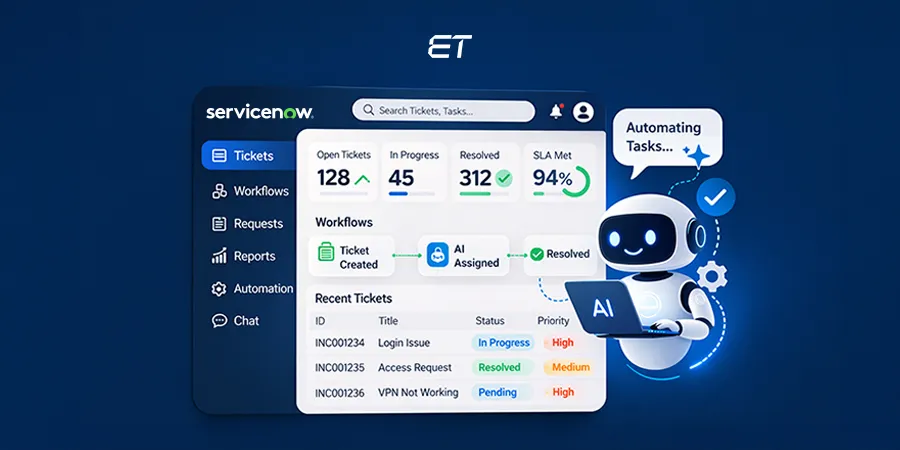
ServiceNow GenAI: What It Can Do for Your Company
Key Takeaways: ServiceNow GenAI brings generative AI directly into enterprise workflows, helping teams automate tasks efficiently. Built into the Now…


ServiceNow Adaptive Implementation Framework (SAIF): A Complete Guide
When you invest in major enterprise platforms, implementation risks are quite common. The larger your company, the greater is the…


